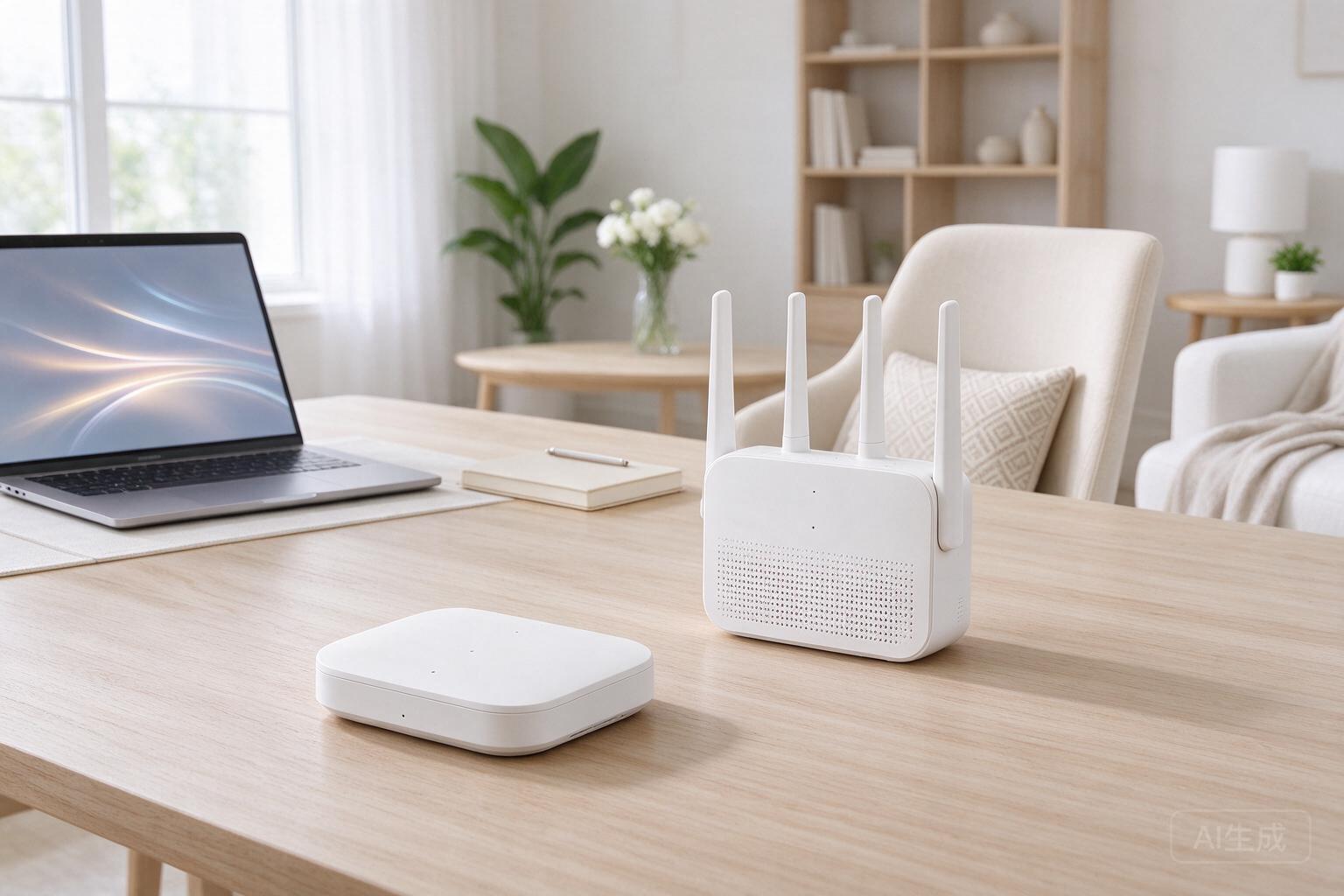

An internet connection that never runs out of data is no longer a luxury for a lucky few. Several people working, streaming, gaming, and studying under one roof can now get uncapped service — through a fixed-wireless gateway, a portable WiFi hotspot, or a subsidized plan. Here is what each option really delivers, how to claim help, and what it costs.
What "Unlimited" Home Internet Really Means — and Why It Matters
Internet ads use the word "unlimited" the way a buffet uses "all you can eat": technically true, with rules attached. Those rules decide whether your connection still behaves the way you expect at 9 p.m. on a Sunday, with a work call running, two TVs streaming, and a console downloading a patch.
Three different products wearing the same label
A hard cap is a total data allowance per billing cycle. Exceed it and you either pay overage charges or lose service. A soft cap limits only your full-speed, or "priority," data — after the threshold, the provider slows you down or ranks your traffic lower than everyone else's. A genuinely uncapped plan has no threshold, no overage charge, and no speed penalty tied to volume; that is most common on fiber and on some fixed-wireless connections.
Deprioritization is the subtle one. T-Mobile Home Internet lines that pass 1.2 TB in a billing cycle drop to the network's lowest priority for the rest of that cycle — no fixed throttle, but your traffic now waits behind everyone else's when the local cell gets busy (RV Mobile Internet). On a quiet network you may notice nothing. During peak hours, the same household can watch a video call stutter.
Real-world thresholds. Legacy Xfinity plans carry a 1.2 TB allowance; customers get alerts at 75%, 90%, and 100%, one courtesy month per 12-month period, and then pay $10 for each additional 50 GB, capped at $100 per month. Cox's standard plans include 1.25 TB, with the same $10-per-50-GB block structure and a $100 monthly ceiling.
What a modern household actually burns through
Netflix publishes its own figures: up to 7 GB per hour for 4K, up to 3 GB per hour for high definition, and up to 1 GB per hour for standard definition. Two hours of 4K a night adds up to roughly 400 GB a month for a single screen. Video conferencing runs about 1–2 GB per hour and casual gaming only 40–100 MB per hour — but one large game download can swallow 10–15% of a 1 TB allowance in a single sitting (EarthLink).
Connected hardware adds background load that rarely shows up in household budgets. A security camera sending clips to the cloud may use 1–20 GB a month for light motion-triggered recording, but 300 GB to more than 2 TB if it transmits continuously (Anker).
The aggregate is moving fast. OpenVault's broadband tracking, summarized by Optimum, put the average U.S. household at about 767 GB per month in late 2025, with a median of roughly 532 GB and about one in four homes clearing 1 TB. OpenVault's earlier reporting found the share of subscribers above 2 TB per month had grown roughly thirtyfold since 2018, to about 4.9%. In other words, the median home fits under a 1.2 TB cap today — but the households most likely to be shopping for "unlimited" are precisely the ones already past it.
Why predictability matters more than speed
Capped service turns a fixed monthly bill into a variable one. A single month of heavier use can wipe out the savings of a cheaper tier. That uncertainty changes behavior: households delay cloud backups, drop video quality, or postpone a game download until the cycle resets.
Uncapped service also fits how people actually live. Renters and roommates share one connection without tracking each other's habits. Multi-generational homes mix heavy streamers, remote workers, students, and always-on devices on the same line. And because per-household usage has grown roughly 10% a year, a plan that fits with room to spare today may not fit next year.
What to check in the fine print of an "unlimited" plan
- The actual number. Look for an allowance stated in GB or TB, and whether it applies to all data or only "priority" data.
- The penalty. Find the overage rate, any monthly maximum, and whether the first overage is forgiven.
- Threshold language. Words like "network management," "fair use policy," "deprioritization," or "priority data" signal a soft cap.
- Video treatment. Ask directly whether streaming is optimized or held to a lower resolution on the plan.
- Equipment and fee terms. Whether a gateway or router rental is included, and whether the price changes after an introductory period.
- How you monitor it. Confirm the provider's app shows usage against your threshold, and turn on the alerts.

WiFi Boxes Explained: Hotspots, Fixed-Wireless Gateways, and Mesh Routers
"WiFi box" is a catch-all term for three different pieces of hardware: a battery-powered device you carry, a receiver that replaces a home broadband line, and a box that does not create an internet connection at all. Confusing them is the most common — and most expensive — mistake in this category.
The three boxes, and what each one is for
Mobile hotspot. It turns a cellular signal into a small, private Wi-Fi network you can carry. Carriers frame it as portable or backup access rather than a primary home line, partly because hotspot service is usually sold with an allowance and then slowed (T-Mobile).
Fixed-wireless gateway. A stationary receiver that combines modem and router: it picks up a 5G signal from a nearby cell site and rebroadcasts it as Wi-Fi inside the home (Linksys; T-Mobile). It is tied to one service address, so availability is checked by address.
Mesh WiFi system. Not an internet source. It spreads a connection that already exists — from a gateway, cable modem, or fiber jack — across several nodes so distant rooms and upper floors get a usable signal. It cannot exceed the speed your plan delivers; it fixes dead zones and stability.
How hotspots and cellular travel routers work
A hotspot shares a data plan through a SIM card or eSIM. On a typical unlocked 5G model, the published specs read: Wi-Fi 6, up to 32 devices, 13 hours of battery life, and roughly 2,000 square feet of coverage when the battery is pulled and the unit runs on its adapter (NETGEAR). Testing is a useful reality check — PCMag measured about 7 hours and 17 minutes of streamed video against that 13-hour rating.
Speed follows the network you are on. Carriers describe 4G LTE hotspots at roughly 10–50 Mbps and 5G hotspots at roughly 50–150 Mbps or more, highly variable with signal.
The gadget is rarely the limiting factor; the plan is. One carrier's prepaid data-only hotspot and router plans run from 25 GB to 150 GB a month, and phone-plan hotspot allowances can be as low as 30 GB, after which speeds drop to about 3 Mbps on some 5G bands and 600 Kbps on others (Verizon). A hotspot that is quick on day one can be slow by day twenty.
Fixed-wireless home internet: what the gateway actually does
Most 5G home internet is self-installed: the gateway arrives configured, you plug it in near an exterior window, let it register for a few minutes, connect your devices, and change the default network name and password. One carrier advertises setup in 15 minutes or less with no technician visit.
Advertised speeds vary widely. One carrier quotes typical downloads of 170–498 Mbps and uploads of 12–55 Mbps. Another publishes typical ranges of 25–85 Mbps on its entry-level 5G Home tier and 85–300 Mbps on its higher-band tier, with uploads of 5–20 Mbps and latency of 35–70 milliseconds (Verizon network disclosures).
That latency is the honest difference from wired service. Cable and fiber arrive on a physical line; fixed wireless arrives over the air, so performance shifts with distance to the tower, building materials, weather, and neighborhood traffic — carriers note that speeds may fall below other customers' during congestion. In exchange, there is no cable to run and no installer to schedule.
What to look for in the box
- Coverage at your exact address. Availability is address-based, and the gateway is tied to that address.
- Hotspot allowance and tethering rules. On phone plans, hotspot data is separate from on-device data, and add-on perks are capped as well.
- Device capacity and ports. Thirty-two devices suits a hotspot; entry-level gateways may have too few Ethernet ports for consoles and desktops.
- Unlocked versus carrier-locked. Unlocked units accept another carrier's SIM; subsidized ones cost less up front but lock you to that carrier's plan menu.
- Rented versus owned. Some plans include the router with no equipment fee but require its return; one carrier owns the router and charges an unreturned-equipment fee after 30 days.
- The trial window. One test drive runs 15 days, with the gateway due back within 45 days of cancellation to avoid a fee of up to $370; another offers a 30-day money-back guarantee on service charges only.
The practical order of operations is coverage first, plan terms second, hardware third. That is also the logic behind the label Unlimited Wifi Home Internet: on a fixed-wireless gateway the unlimited part comes from an address-locked home plan, while on a hotspot the same words usually arrive with an allowance and a slowdown attached.
Government Internet Programs: Subsidies, Eligibility, and How to Check
A government internet program can knock $9, $20, or more off a monthly bill — but only the ones with funding still flowing actually pay. In practice that means one live federal discount, one very large program that has already shut down, and construction grants that never appear as a credit on your statement.
Lifeline: the federal discount that keeps paying
Lifeline, run by the Universal Service Administrative Company under FCC oversight, lowers the cost of phone, internet, or bundled service by up to $9.25 a month — up to $34.25 on qualifying Tribal lands. On a phone-only line meeting minimum service standards, the discount is up to $5.25.
You qualify either on income — gross household income at or below 135% of the Federal Poverty Guidelines — or through a qualifying program:
- SNAP, including the nutrition programs in Puerto Rico, American Samoa, and the Northern Mariana Islands
- Medicaid
- Supplemental Security Income
- Federal Public Housing Assistance
- Veterans Pension or Survivors Pension benefit
- On Tribal lands: BIA General Assistance, Tribally administered TANF, and the Food Distribution Program on Indian Reservations
Under current guidelines, 135% of poverty is $21,546 for one person, $36,882 for three, and $44,550 for four, plus $7,668 per additional person. Survivors of domestic violence or trafficking may get up to six months of emergency support.
The rule most people get wrong is "one per household." A household is everyone at the same address who shares income and expenses. Only one discount is allowed, and a Household Worksheet is required when more than one subscriber at an address receives Lifeline.
The Affordable Connectivity Program has ended
The ACP was the bigger benefit: up to $30 a month toward internet, $75 on qualifying Tribal lands, and a one-time discount of up to $100 toward a laptop, desktop, or tablet. Funded at $14.2 billion, it stopped accepting applications on February 7, 2024 and ended on June 1, 2024 when the money ran out, cutting off roughly 23 million enrolled households.
There is no waiting list and nothing to enroll in. The FCC warns that some provider and third-party sites still advertise the ACP and keep collecting personal information from applicants — a reason to close the tab rather than send documents.
BEAD and other build-out money
BEAD, the Broadband Equity, Access, and Deployment program, is $42.45 billion from the 2021 infrastructure law. It pays states, territories, and the District of Columbia, which award construction projects; NTIA has approved final proposals from all 56 eligible entities and released additional funding for locations still unserved.
Households do not apply, and no credit appears on a bill. The money goes to providers, cooperatives, or municipalities, so the payoff is availability, not affordability: a new option may reach an address that had none, without lowering anyone's monthly rate. State broadband office address lookups show whether a project is planned nearby.
State programs and eligibility-linked plans
Because the federal benefit is modest, some states top it up; a 2026 broadband policy review counts nine states that increase the Lifeline discount for internet service. California's three-year LifeLine Home Broadband Pilot pays up to $20 a month toward standalone home broadband and up to $30 toward a bundle, plus a yearly connection-charge credit. New York's Affordable Broadband Act requires larger providers to offer qualifying households $15 a month for at least 25 Mbps, or $20 for at least 200 Mbps. Oregon lets its Public Utility Commission raise state Lifeline support.
Eligibility-linked provider plans are a separate category: low-cost tiers required by state law, voluntary low-income plans, and nonprofit programs. Screens usually track Lifeline's, but whether a plan can also carry the federal credit depends on the provider.
How to check eligibility and apply
- Apply through the National Verifier at lifelinesupport.org, which screens income and program documents online; Oregon and Texas use their state's process.
- Use USAC's Companies Near Me tool to find participating providers; approval alone does not start a discount.
- Call the Lifeline Support Center at (800) 234-9473, daily 9 a.m.–9 p.m. ET, for application status, documents, or the Household Worksheet.
- Check your state public utility commission or broadband office for a supplement; a mishandled discount is a complaint there.
- Call 211 or search its database for internet and phone bill help; New York's broadband office points residents to 211 for reduced-cost plan enrollment.
- Ask at a public library; many run digital navigator programs that help people complete these applications.
Same-Day and Next-Day Options When You Need Internet Now
A lease that starts on the first of the month, a work deadline, a child's remote class schedule, or a telehealth appointment can turn connectivity into a same-day problem. That pressure is why the fastest routes are rarely the best long-term ones, and why it helps to know which channels can realistically finish inside 24 hours.
Five paths to a connection within 24 hours
- A prepaid phone plan with a hotspot allowance. No store visit is needed if your phone is unlocked. Prepaid is not one product: Visible, an MVNO on Verizon's network, includes unlimited hotspot data but caps hotspot speeds at 5 Mbps on its base plan and 15 Mbps on Visible+ Pro, noting that a single connected device performs best. T-Mobile's premium plans carry the largest high-speed hotspot allotment among major carriers, then drop to 6 Mbps (HighSpeedInternet.com).
- A prepaid hotspot device bought at retail. The most controllable same-day route: buy the device, buy a plan, plug in. Verizon's prepaid hotspot plans are pay-ahead monthly service with no contract (Verizon). Hardware is the main cost — the Inseego MiFi X PRO 5G UW lists at $349.99 and supports up to 32 devices (BroadbandNow). Setup needs no technician: charge it, insert the SIM, hold power, follow the prompts.
- Fixed-wireless 5G home internet with a self-install kit. T-Mobile advertises same-day delivery of its gateway through DoorDash for new lines, with setup in 15 minutes or less; CNET's moving-day guidance points to self-install 5G as the fastest option for households that plan ahead. Availability is the limit: Verizon says self-setup is not available in all areas, and Straight Talk checks availability at the street-address level.
- MVNO SIM or eSIM activation. With an unlocked phone or tablet you already own, an eSIM can be live in minutes. Prepaid eSIM signup requires identity verification, usually a photo of a passport or government ID, but no credit check, with reported activation times of roughly 4 to 15 minutes by carrier (RoamAI).
- Temporary bridges: library hotspots, community Wi-Fi, phone tethering. Library terms vary. San Diego Public Library lends kits for 30 days at all 37 locations; Chicago Public Library lends to adult city residents for up to three weeks on T-Mobile's network. Programs also close — Brooklyn Public Library's is discontinued. Tethering works instantly but draws on the phone's data allowance and battery.
What each path requires: ID, address, and credit
The credit check is the dividing line. Prepaid is built to skip it: AT&T advertises prepaid as "no annual contract, no credit check, easy activation," and Verizon's prepaid signup is described as opening a new prepaid account with no credit checks required.
Prepaid still requires identification — name, plus photo ID for eSIM and in-store activation — and a service address for fixed wireless. Some fixed-wireless providers market no-credit-check signup alongside self-install. Income-based discounts use separate verification: Lifeline provides up to $9.25 a month, one benefit per household, confirmed through the National Verifier, which may require documents proving program participation or income.
A practical checklist before you commit
If you are saying "i need internet today," work through these in order rather than buying hardware first.
- Confirm coverage at the exact address. Use the provider's address checker, not a ZIP-code tool; neighboring addresses can differ in eligibility and speed.
- Read the carrier's coverage map for your block, including whether it lists 5G or 4G LTE, since speeds vary by location and device.
- Decide owned versus rented equipment. Buying a hotspot is a large one-time cost; some fixed-wireless plans include the gateway.
- Ask when hardware actually lands, and whether store pickup is possible — advertised same-day delivery is not available everywhere.
- Test real speeds inside the return or trial window, in the room and at the hour you will work. T-Mobile offers a 15-day test drive on its 5G home internet.
- Read the throttle terms before relying on "unlimited" hotspot data for a full day of video calls.
A hotspot or tethered phone handles email, browsing, and occasional streaming, but portable plans typically max out between 50 GB and 100 GB a month and are not a substitute for home internet in a household streaming video daily (BroadbandNow). Treat any same-day purchase as a bridge with an end date.
What Unlimited Service Actually Costs — and Where the Hidden Fees Hide
The word "unlimited" describes the data allowance, not the bill. In practice, what a household pays is the sum of a monthly plan rate, whatever the provider charges for the box that broadcasts the WiFi, one-time connection charges, taxes and recovery fees, and — often — a higher rate once an introductory period ends.
Published price ranges
Entry-level fixed-wireless plans generally advertise between about $35 and $70 a month. T-Mobile's tiers run $50, $60, and $70 with AutoPay, dropping to $35, $45, and $55 when bundled with a qualifying voice line; AT&T Internet Air is one plan at $55; Verizon's 5G Home starts at $35 with AutoPay and a Verizon mobile plan (HighSpeedInternet.com; AT&T; Verizon). Prices like these are published rate cards, and they are usually quoted before taxes and fees.
Unlimited phone plans are a separate purchase, and hotspot data is where the tiers separate. CNET's comparison lists Verizon Simplicity at $30 for one line (with a number brought over, otherwise $45) including 10 GB of high-speed hotspot; T-Mobile Essentials Saver at $50 with no high-speed hotspot; and T-Mobile Experience More at $85 with 60 GB of hotspot.
Where the fees hide
- Equipment. Cable and fiber providers commonly rent the WiFi router or gateway for about $10–$15 a month, an add-on that can be avoided by using your own compatible equipment (Human-I-T). Fixed-wireless plans usually include the gateway at no monthly charge.
- One-time charges. A device connection charge — $35 on many T-Mobile home internet plans — plus prorated first-month billing can make bill one noticeably larger than bill two. Professional installation on cable or fiber can run near $100 (BroadbandNow).
- Taxes and recovery fees. T-Mobile now advertises home internet before taxes and fees, with a line-item regulatory and telco recovery fee on data lines. Cable terms typically add taxes and activation fees on top of the advertised rate.
- Price clauses. "Price lock" promises usually exclude taxes, fees, and later network changes; promotional cable rates step up after 12–24 months, by $10 on a Frontier plan and by $42–$48 on a Spectrum plan in HighSpeedInternet.com's comparison table.
- "Unlimited" with a speed floor. T-Mobile's cheapest tier may reduce speeds above 1.2 TB a month, and AT&T says it may slow speeds during congestion.
Unlimited versus metered, and the second-device math
Where caps still exist, escaping the meter is itself a line item: on top of the base rate, an unlimited-data add-on on a legacy 1.2 TB Xfinity plan runs $30 a month. Adding capacity through a phone plan follows similar logic — a single T-Mobile Essentials Saver line is $50, while three lines are $100 (CNET).
| Cost type | Examples |
|---|---|
| Recurring | Plan rate ($35–$85), router rental ($10–$15), recovery fees, taxes, unlimited-data add-on ($30) |
| One-time | Device connection charge ($35), installation (up to about $100), first-month proration |
| Hidden or conditional | Post-promo increase ($10–$48/mo), overage ($10 per 50 GB), unreturned-equipment fee, speed reduction after a threshold |
An unlimited plan is worth its premium when the household's usage is high and steady. Using OpenVault's average of about 767 GB a month, a typical household on a $50–$70 plan is paying roughly 7–9 cents per gigabyte. A home that regularly clears 1 TB is running 10–14 cents per gigabyte — the same plan, better value, which is exactly why heavy households gravitate toward uncapped service in the first place.
Free and reduced-cost routes
The FCC's Lifeline program discounts qualifying phone or internet service by up to $9.25 a month, or up to $34.25 on Tribal lands, with one benefit per household. The larger Affordable Connectivity Program ended when its funding ran out, and the FCC warns that some sites still advertise it. Public libraries lend mobile hotspots free with a card — Chicago's program notes a replacement charge of about $100 for a lost device — and municipally owned networks sometimes publish lower rates, such as Waterloo Fiber's $30 for 100 Mbps and $70 for symmetrical gigabit (Institute for Local Self-Reliance). Employer reimbursement exists but is not universal; one benefits administrator reports a median of $1,080 a year where a dedicated connectivity stipend is offered (Compt).
The Bottom Line
Unlimited home internet is less about a magic piece of hardware than about matching three things: a plan whose fine print actually permits unlimited use, a box that fits your address and your household, and a price you can predict twelve months out. The coverage of fixed wireless and the falling cost of 5G hardware have made uncapped service reachable for renters, roommates, and multi-generational homes that once had one option on the street. Federal and state subsidies can shrink the bill further, and same-day channels exist for the weeks when waiting is not possible. Reading the allowance, the fee schedule, and the trial window before committing is what separates a connection that keeps up from one that quietly slows down.
Sources
- Lifeline Support (Universal Service Administrative Company) — program details, subsidy amounts, and eligibility: https://www.lifelinesupport.org/about-lifeline
- FCC — Affordable Connectivity Program wind-down and consumer warnings: https://www.fcc.gov/acp
- NTIA — Broadband Equity, Access, and Deployment (BEAD) program overview and progress: https://www.ntia.gov/funding-programs/high-speed-internet-programs/broadband-equity-access-and-deployment-bead-program
- Optimum, citing OpenVault Broadband Insights — average and median U.S. household data use: https://www.optimum.com/articles/internet/how-much-data-does-your-household-use
- HighSpeedInternet.com — real cost of fixed-wireless plans, fee structures, and unlimited-plan terms: https://www.highspeedinternet.com/resources/t-mobile-real-costs

